About the payment procedure at Family Mart

Inside the Family Mart convenience store, the payment can be settled by cash. This will be applicable for products which you have reserved through the internet.
- Note: Because of store regulations, the maximum payment that can be made is 300,000 yen.
How to pay at Family Mart
- To settle your payment at the convenience store, the 「Payment number」 and 「Phone number」 will be required. (The phone number will refer to the number which you have registered when you made your booking)
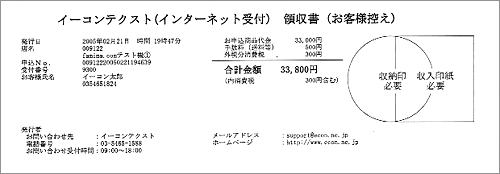
- After payment, the register will distribute a 「Receipt」. You will need this to board on your reserved bus.
-
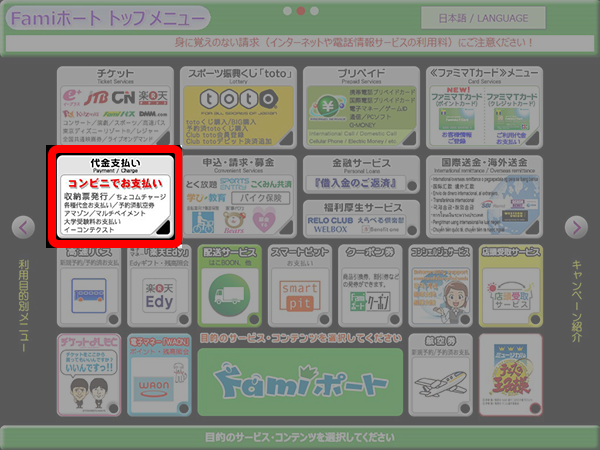
- From the top page of the Fami Port machine, select the button which is written as「代金支払い」(Payment and Charge) This is indicated at the lower left portion of the screen.

-
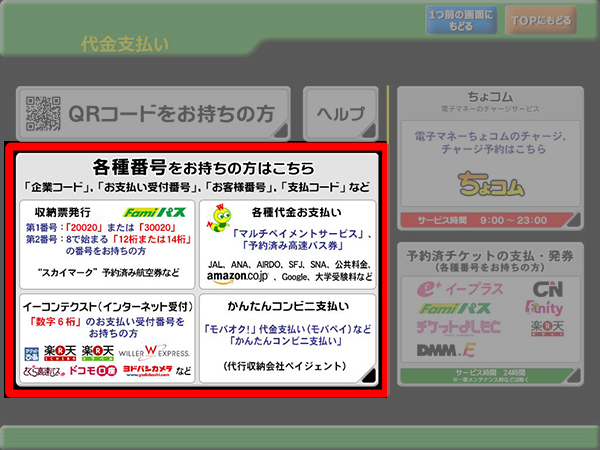
- Press the button that indicates 「各種番号をお持ちの方はこちら」 (customer who have a number code) on 「代金支払い」 (Payment and Charge)
-
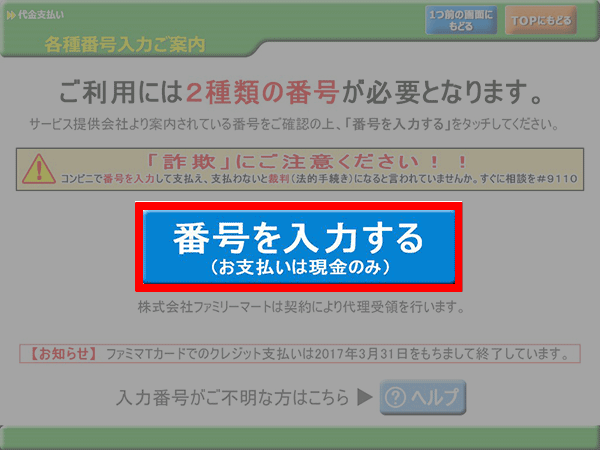
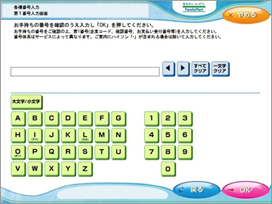
- Press the "番号を入力する" (Input numbers) button.
-
- Please input the Payment number (4 to 7 digits) then, press the 「OK」
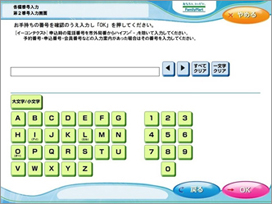
-
- Please input the phone number the you have registered when you made your booking then, press the「OK」
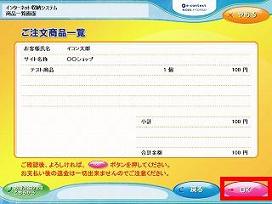
-
- Your reservation details and fare will appear on the screen. After checking the details, press the 「OK」
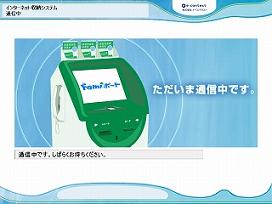
-
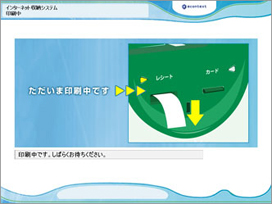
- A coupon will come out from the Fami Port machine. Please bring the coupon to the register and settle your payment with-in 30 minutes after the coupon has been distributed.
After payment, the register will distribute a 「Receipt」. You will need this to board on your reserved bus.
- A coupon will come out from the Fami Port machine. Please bring the coupon to the register and settle your payment with-in 30 minutes after the coupon has been distributed.
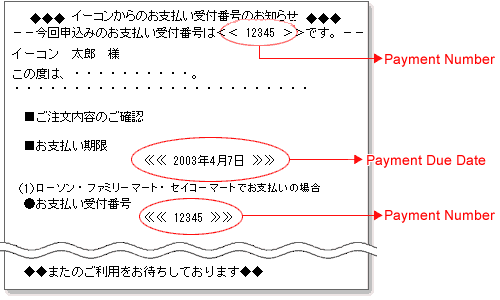
Payment numbers (お支払い受付番号)
- After booking, the confirmation email will be sent to your email address which you have registered. Inside the email the 「Payment number」 will be indicated.
Note: The payment will not be processed if you did not receive your confirmation email.
- Please settle your payment at the Family Mart convenience store after confirming the 「Payment due date」 and the 「Payment number」 which is indicated on the confirmation email.
Note: The information displayed is believed to be accurate, but there may be discrepancies.
Receipts
After payment, the register will distribute a 「Receipt」. This will be a certified proof for your settlement.